 Glimpse
Native macOS app · Free and open source
Screenshots that
make the point.0 × 0
Glimpse lives in your menu bar. Capture an area, a window or a whole scrolling page, mark it up, redact it, pin it above your work, or record your screen with your camera and voice.
v1.3.0 · macOS 14+ · Apple silicon and Intel · Other ways to install
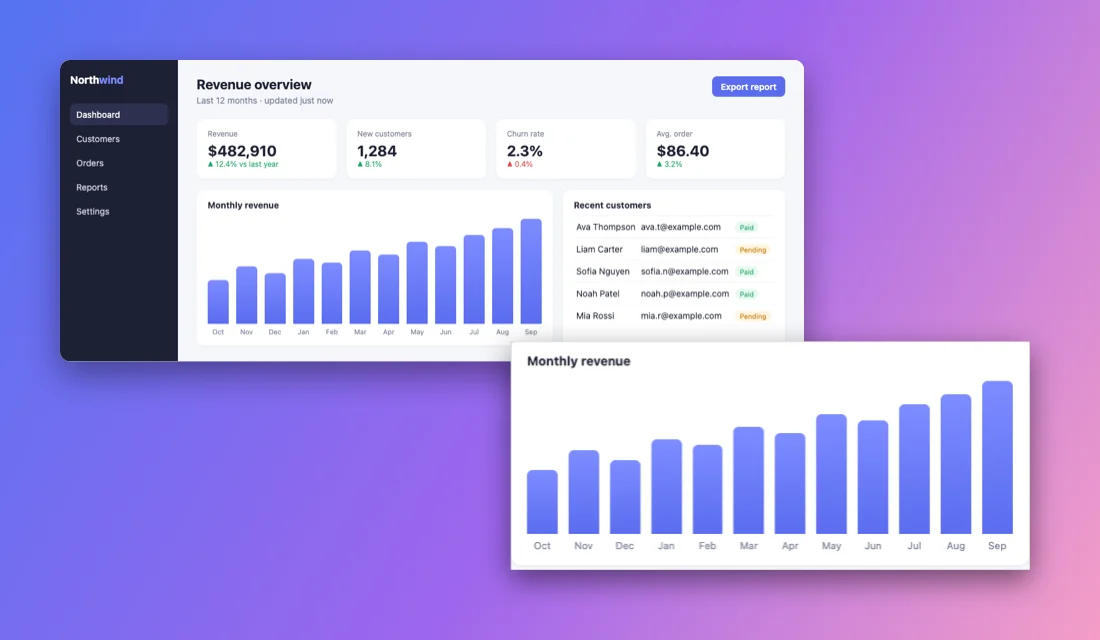
Ava ThompsonPaid
Liam CarterPending
Sofia NguyenPaid
Noah PatelPaid
Mia RossiPending
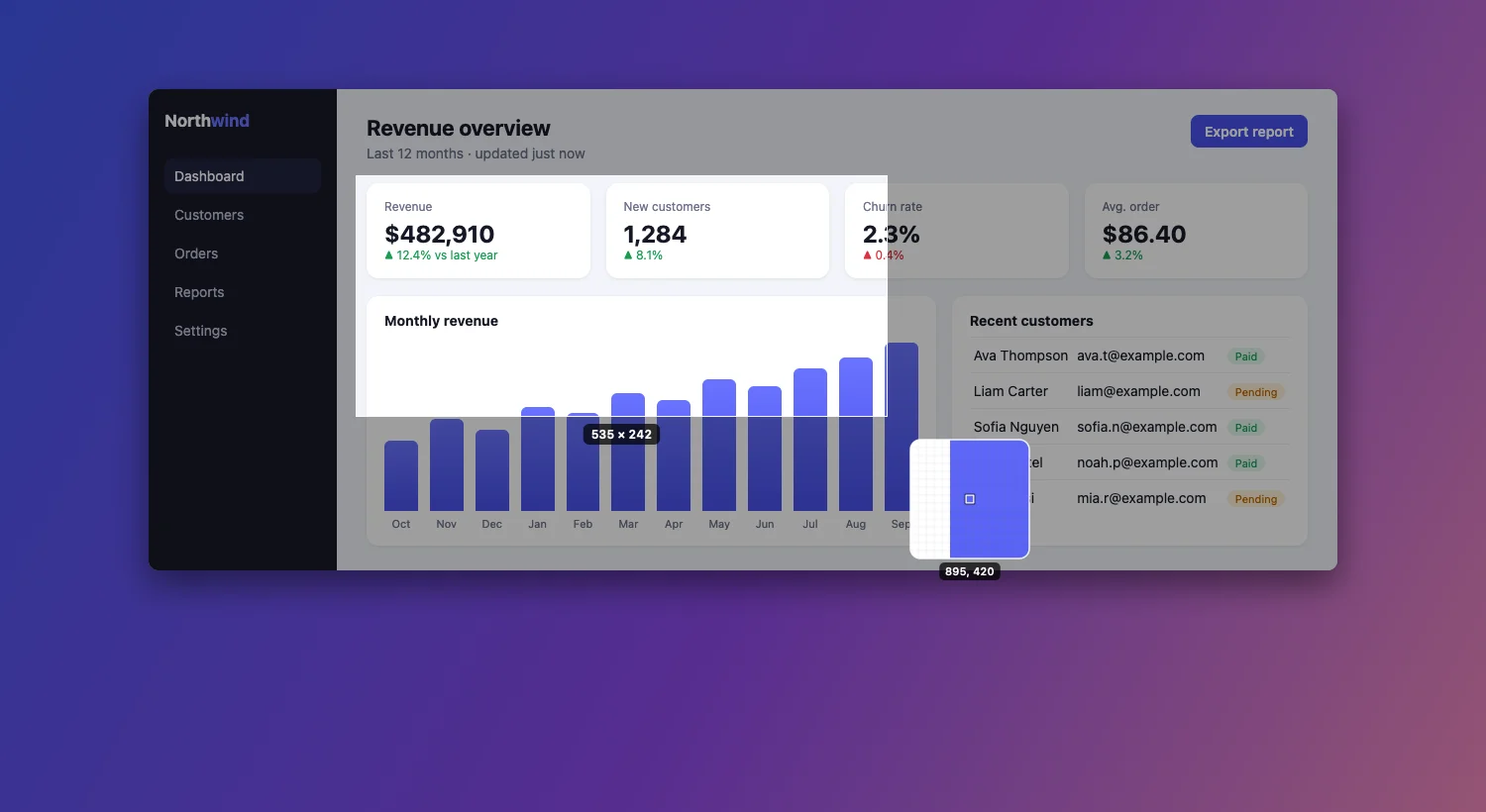
Drag anywhere to take a screenshot ⌥⇧⌘4
Capture
Every way to grab the screen, one shortcut away.
The screen freezes the moment you start, so menus and hover states stay put. A pixel magnifier and live size help you land on the exact edge.
- Area
Crosshair, magnifier and live size. Press Space to switch to window mode.
⌥⇧⌘4 - Window
A clean cut-out with transparent corners and an optional soft shadow.
⌥⇧⌘5 - Scrolling
Long pages, chats and documents in one image. Sticky headers appear once.
⌥⇧⌘6 - Text (OCR)
Copy the text in any area, or read a QR code. Runs on-device.
⌥⇧⌘2 - Fullscreen and previous area
The whole display, or the same rectangle as last time.
⌥⇧⌘3 · ⌥⇧⌘7 - Self-timer
Three, five or ten seconds to open the menu you need.
⌥⇧⌘8
Quick Access Overlay
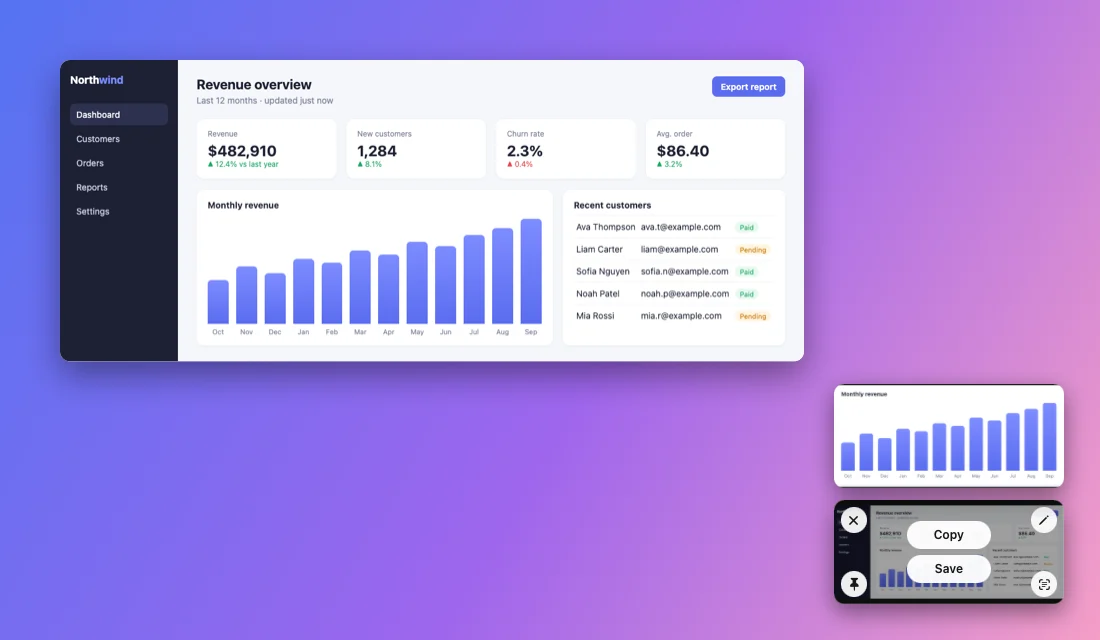
Your capture waits in the corner.
Hover it for Copy and Save, or use the corner buttons to close, annotate, pin or copy its text. Drag it straight into Slack, Mail or Finder. Swipe it away, and bring it back with ⌥⇧⌘9 if you change your mind.
Annotate
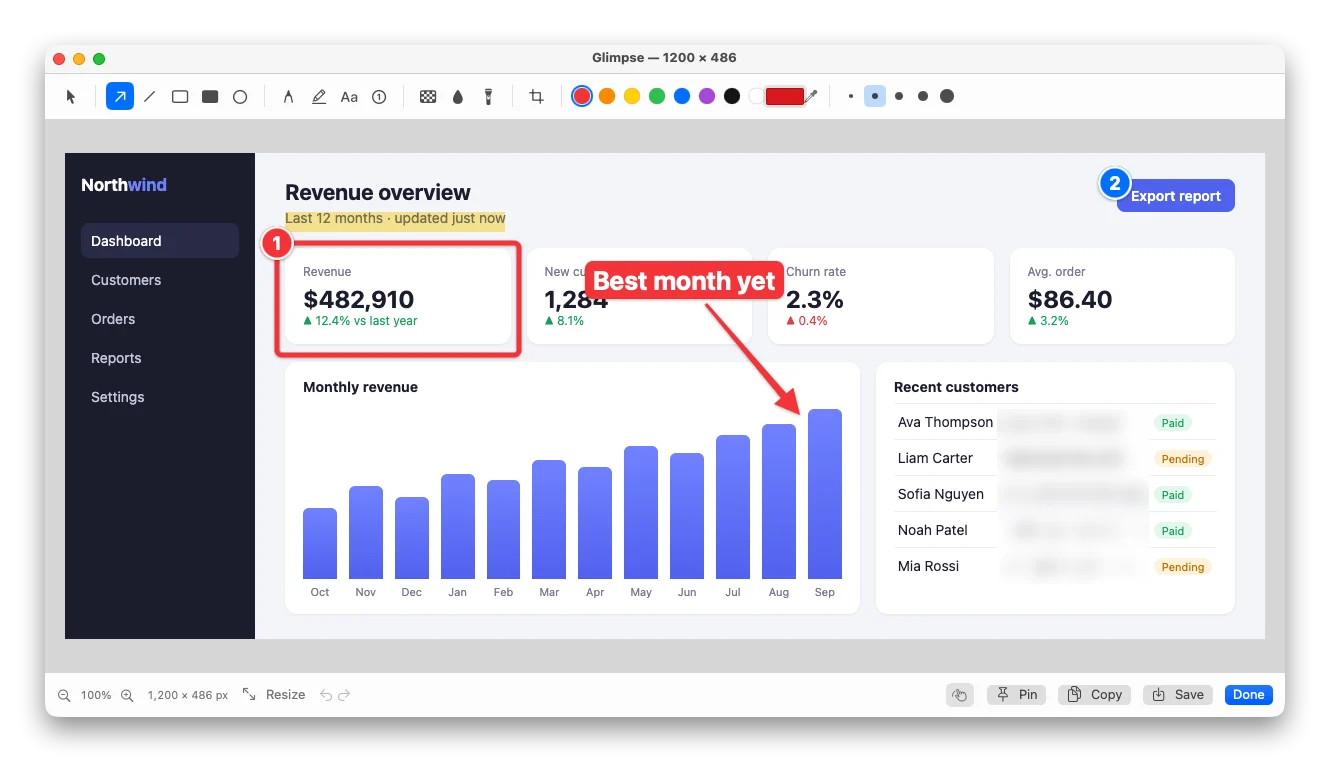
Arrows, steps, blur. Every mark stays editable.
Select, move, resize, restyle or delete any annotation after you draw it. Pixelate and blur hide what shouldn't be shared. Each tool is one key away.
- VSelect
- AArrow
- LLine
- RRectangle
- FFilled
- OEllipse
- PPen
- HHighlighter
- TText
- NSteps
- XPixelate
- BBlur
- SSpotlight
- CCrop
Record
Show it, with your face and voice.
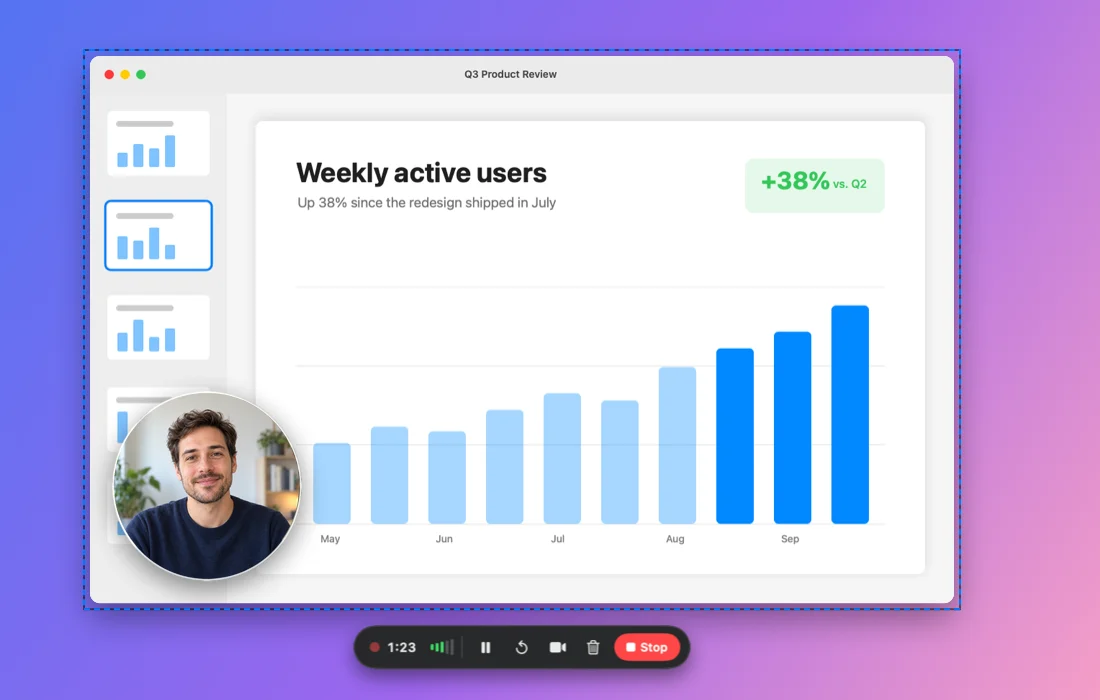
Record an area or a whole display to MP4 at 30 or 60 fps. Your webcam rides along in a bubble you can drag, resize or mirror. Microphone and system audio mix into one track. Pause, restart or discard from the control bar, and the finished video slides into the corner like any capture.
Pin
Keep a reference floating above everything.
Pin a capture over every window while you work: a design you're matching, numbers you're copying, steps you're following. Resize it, fade it, nudge it with the arrow keys, or lock it so clicks pass through.
For AI agents
Let your coding agent see the screen.
Glimpse includes an MCP server. Claude Code, Cursor and other agents can list windows, screenshot one even when it's covered, read text on-device, and record short clips to check their own work. It's off until you allow it in Settings, and recordings always show Glimpse's controls so you can stop them.
Scriptable with glimpse:// URLs
Trigger any capture from Shortcuts, Raycast, Alfred or a shell script.
# a fixed region, saved without asking
open "glimpse://capture-area?x=100&y=80&width=800&height=400"
# a 30-second recording of the second display, with camera and mic
open "glimpse://record-fullscreen?display=2&camera=1&mic=1&duration=30"
# open an image in the editor
open "glimpse://annotate?filepath=/path/to/image.png"
Install
One line in Terminal.
The script downloads the latest release, checks its SHA-256, moves Glimpse to Applications and opens it. After that, Glimpse updates itself.
Read the script · Download the .zip · Build from source
- Allow Screen Recording. A setup window walks you through it on first launch.
- Press ⌥⇧⌘4. The defaults stay clear of macOS's own shortcuts, and every one can be changed.
- Optional: Accessibility for auto-scroll, and camera and microphone for recordings.
Requires macOS 14 or later. Universal app for Apple silicon and Intel. The app is ad-hoc signed rather than notarized; the install script handles the first-launch warning for you.